Math Tug of War: Play Against the Computer or a Friend
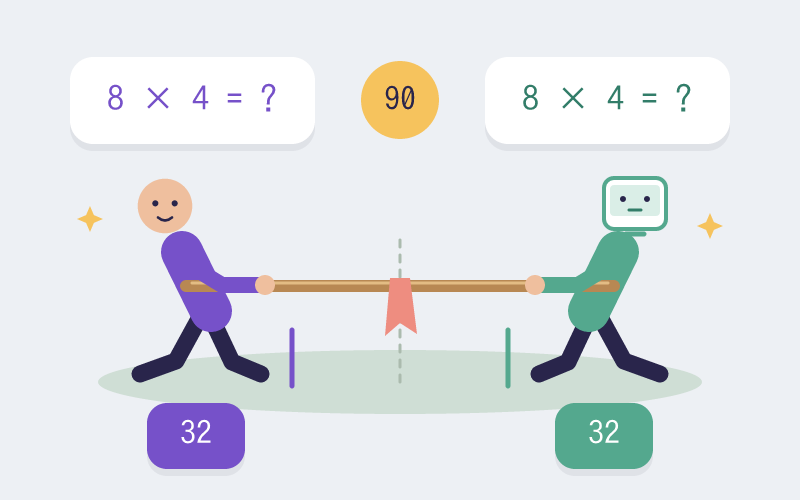
Play Math Tug of War against the computer or a friend on one device. Choose arithmetic difficulty and computer pace, then pull the rope with correct answers.
Turn Correct Answers Into a Pull on the Rope
Math Tug of War starts with you on the left and a computer opponent on the right, so you can play on your own. Choose from four answers while the computer plays at its selected pace. You can also switch to two players on one device, with both people answering at the same time. A correct answer pulls the rope one step toward that side and opens the next question. Reach the winning line five steps from the center to win. If the 90-second timer ends first, the side ahead wins; a rope at the center is a draw.
Set the Math Difficulty and Computer Pace Separately
Select addition, subtraction, multiplication, division, or mixed operations, then choose Easy, Medium, or Hard. In computer mode, also choose a Relaxed, Standard, or Quick opponent pace. The default is Standard. Harder questions give the computer more thinking time; pace sets how fast it plays at that difficulty. Both sides receive the same calculation at the same question number, with answer choices arranged differently.
Arithmetic Skills to Practice in Each Match
- Recall addition, subtraction, multiplication, and exact division facts.
- Choose an accurate answer while the rope and timer change.
- Reconsider an incorrect answer before trying the same question again.
How Does Tug of War Mathematics Work?
- Choose an operation and math difficulty. Start against the computer with a Relaxed, Standard, or Quick pace, or select two players on one device.
- Use A, S, D, F or tap the left-side answers. The computer controls the right side automatically; in two-player mode, your friend uses J, K, L, semicolon or the right-side answer buttons.
- Answer correctly to pull one step. An incorrect answer keeps the question and briefly locks only that player’s choices for 0.9 seconds.
- Pull the rope five steps from center to your winning line, or be ahead when the 90 seconds end. Play another match to continue practicing.
Use a Short Match as a Classroom Warm-Up
For individual practice, choose a familiar operation and let the student start against a relaxed computer pace. Adjust question difficulty and opponent pace separately. For paired practice, select two players on one device and let each student use their own answer area. After a match, ask students to explain one calculation before the next round. On a classroom display, a student can face the computer or two team representatives can play each other.
Math Tug of War Questions
Q: Can I play Math Tug of War by myself?
A: Yes. The default mode puts you on the left against a computer opponent on the right. The computer answers automatically at the Relaxed, Standard, or Quick pace you select.
Q: Can two players play at the same time?
A: Yes. Select two-player mode to share one device and answer independently. The left side uses A/S/D/F and the right side uses J/K/L/semicolon, or each player taps their answer buttons.
Q: Can I change the game language?
A: Yes. Use the site language switch to play in English or Simplified Chinese. The game follows the language of the page.
Q: Does computer pace change the math difficulty?
A: No. Easy, Medium, and Hard control the questions. Relaxed, Standard, and Quick control the computer’s response pace, so you can adjust the two settings independently.
Q: Can I play multiplication tug of war?
A: Yes. Choose multiplication before starting. Addition, subtraction, exact division, and mixed operations are also available, with three difficulty levels.
Q: What happens after a wrong answer?
A: The rope does not move and the same question stays visible. Only that player waits 0.9 seconds before trying again; the other player can keep answering.
Q: What if neither player reaches the winning line?
A: After 90 seconds, the player with the rope on their side wins. If the rope is at the center, the match is a draw.
Q: Do players join from separate devices?
A: No. You can play alone against the computer or share one device with a friend. The game does not create online rooms or connect separate devices.