Addition Finish Line: Addition Practice Within 20
Looking for an alternative to Jet Ski Addition? Addition Finish Line is a separate ZogMath game for practising addition within 20. Choose the correct answer and race against three computer-controlled opponents.
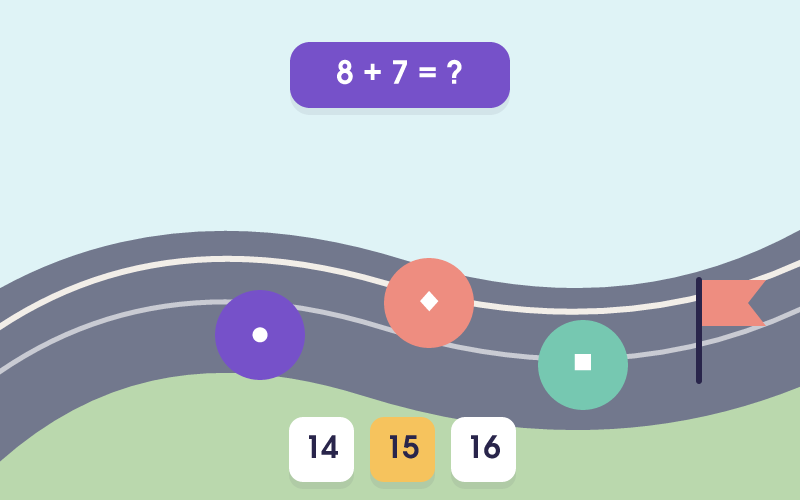
Addition Finish Line is a separate ZogMath game. References to Jet Ski Addition identify the game being compared. ZogMath is not affiliated with, endorsed by, or sponsored by Arcademics.
| Name | Addition Finish Line |
|---|---|
| Catalog grade suggestions | Grade 1, Grade 2 |
| Actual task | Race to the finish by answering addition facts first |
| Practice objective | Practice the following task: Race to the finish by answering addition facts first |
| Optional curriculum references | CCSS.MATH.CONTENT.1.OA.C.6 (Common Core State Standards); CCSS.MATH.CONTENT.2.OA.B.2 (Common Core State Standards) |
Grades are catalog suggestions. Curriculum entries are references, not certification. Choose a practice length that fits your session.
How does it compare with Jet Ski Addition?
For online races with friends
Arcademics describes its game as a multiplayer addition race with friends and opponents. Use the original game if you want that multiplayer experience.
For individual addition practice
Addition Finish Line has one human player and three computer-controlled opponents. Each question adds two numbers from 1 to 10, with sums up to 20. Choose from four answers. After the countdown, computer racers keep moving while you think. Answer 8 correctly before they finish.
What you practise
Start the race and wait for the 3-second countdown. Read an addition question such as 8 + 6, work out the sum, and select 14. Each correct answer moves your purple race car one of 8 steps. Computer racers move continuously, including while you think or receive answer feedback. The fastest opponent finishes in 32 seconds. The first racer to reach the finish ends the round.
Addition skills in this game
- Add two numbers from 1 to 10, with sums up to 20.
- Match an addition expression to its answer among four choices.
- Use counting on or making ten before choosing an answer.
How to play Addition Finish Line
- Choose Start your engine and wait for the 3-second countdown. The race clock and computer racers then start together.
- Read the addition question and work out the sum. Computer racers continue moving while you think.
- Click or tap one of the four answers. A correct answer moves your car forward.
- Keep answering until you have 8 correct answers or a computer racer reaches the finish. Wrong answers do not move your car, and the clock keeps running during feedback.
- Choose Play Again on the result screen to start a new race with newly generated questions.
A short classroom practice routine
Ask the student to explain a sum before selecting an answer. After the race, revisit two or three facts they found difficult. Aim for careful answers before asking for faster recall.
Questions about this addition game
Q: Can I race another student in Addition Finish Line?
A: No. This game has one human player and three computer-controlled opponents. It does not have online rooms or a second human-player mode.
Q: Can I change the difficulty or practise larger numbers?
A: The current game has a fixed range. Both numbers are from 1 to 10 and their sum is at most 20. There is no difficulty selector.
Q: Will the computer opponents move while I think?
A: Yes. Once the 3-second countdown ends, computer racers move continuously. They do not wait for your answers. The fastest finishes in 32 seconds, so you need 8 correct answers before then to win.